Customization
Customize Glanced in Settings. Pick a theme and layout, choose list, grid, or magazine views, and tune your reading experience.
All options are available in Settings → Preferences.
General
| Option | Description |
|---|---|
| Theme | Light, Dark, or System |
| Date format | Relative ('2 hours ago') or absolute ('Jan 5, 2026') |
| Time format | 12-hour or 24-hour |
Appearance
| Option | Description |
|---|---|
| Thumbnails | Preview images for each article |
| Feed icons | Website icons next to each feed |
| Summaries | A short excerpt of each article |
Layout
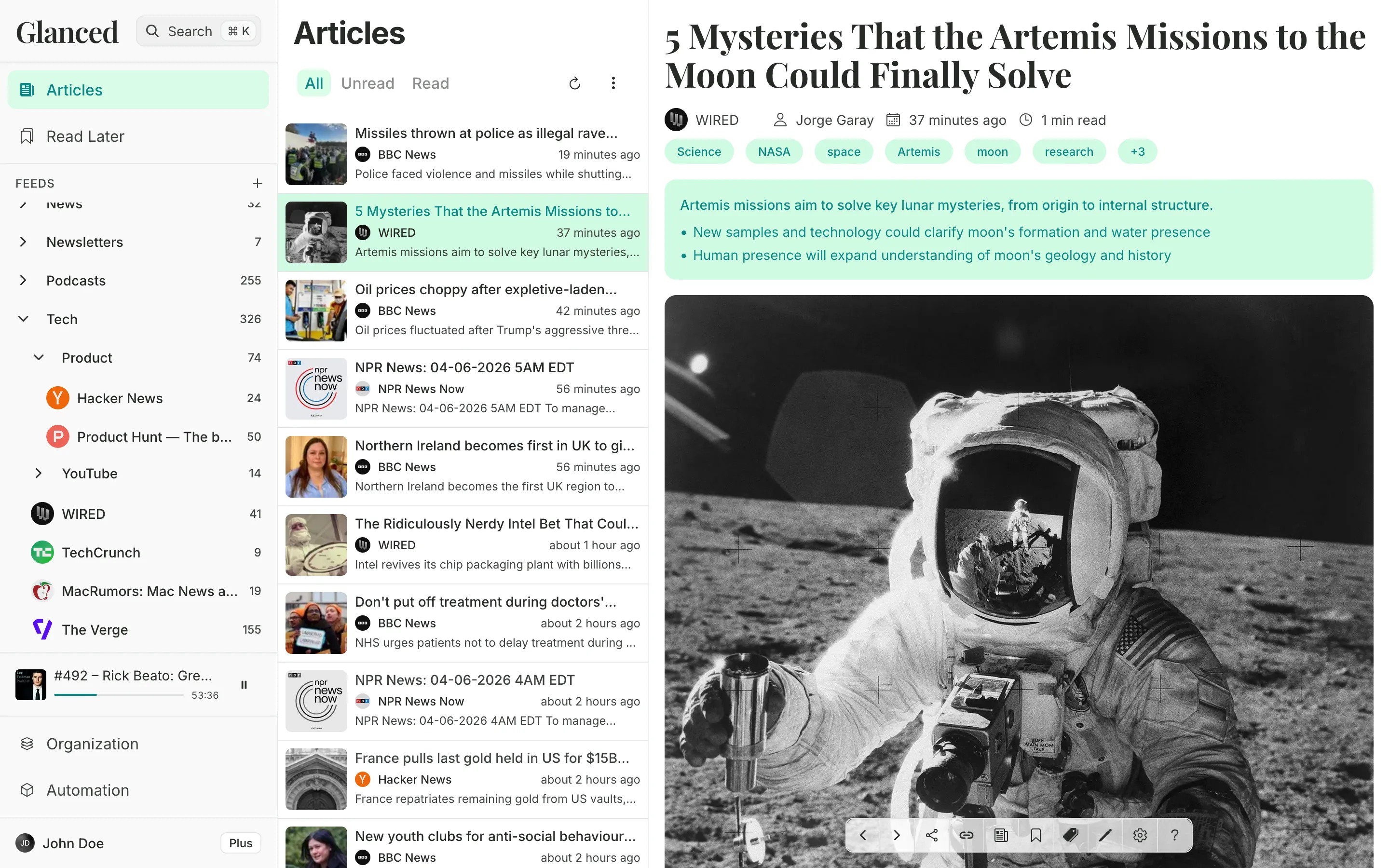
Choose how your main view is arranged:
- Split: Classic two-pane layout. Article list on the left, article on the right.
- Focus: Single view. Switch between the article list and reading view.
The sidebar stays visible in both layouts. On narrower screens, it shrinks to an icon rail showing only your pinned items.
Sort your sidebar feeds by Latest first or Alphabetical.
Article view
Choose how articles appear in the list:
- List: Articles in a row with thumbnails
- Grid: Articles in a card grid with images
- Magazine: Articles in a magazine-style layout with large images
Text & reading
| Option | Description |
|---|---|
| Text size | Make article text larger or smaller |
| Line height | Set the space between lines |
Reading experience
| Option | What it does |
|---|---|
| Read on scroll | Mark articles as read when you scroll past them |
| Reading time | Show an estimated reading time on each article |
| AI Summaries | Show AI summaries in the list and reader (see AI Summaries) |
| Similar articles | Suggest related articles while reading (see Similar Articles) |
How is this guide?