

Podcasts
Subscribe to podcasts in Glanced, listen to episodes, adjust playback speed, and resume where you left off across all your devices.
Listen to podcasts in Glanced. Your shows and progress sync across every device.
Subscribe to a podcast
The easiest way is Discover. Open it and switch to the Podcasts tab to search, then click a show to follow it. You can also paste a podcast's RSS or show URL into the search box and subscribe directly.
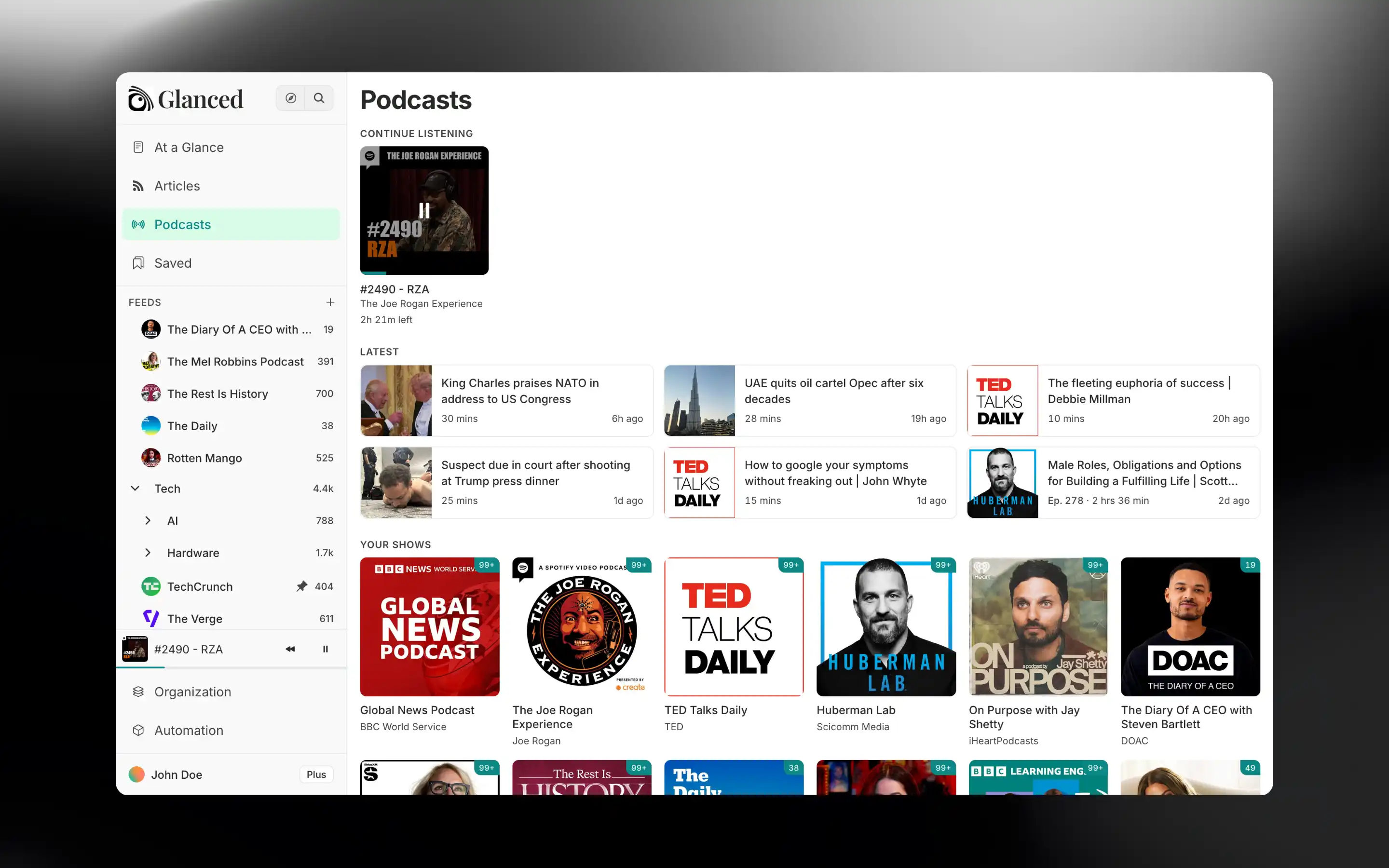
Subscribed shows appear on the Podcasts page. Click Podcasts in the sidebar.
The Podcasts page
Your podcasts home has three sections:
- Continue listening: Episodes you've started but not finished
- Latest: The newest episodes from your shows
- Your shows: Every podcast you follow
Open a show to see its episodes. Filter by All, Played, or Unplayed, sort them, and mark episodes as played or unplayed. Episodes are never marked as played just for getting old.
Playback
- Click a timestamp in the show notes to jump straight there.
- Set a speed from 0.5× to 2×. Change the default in Settings → Preferences, or override it for a single show.
- Turn on Autoplay in Settings → Preferences to play the next queued episode when one ends.
For audio and video embedded in regular articles, see Media.
How is this guide?